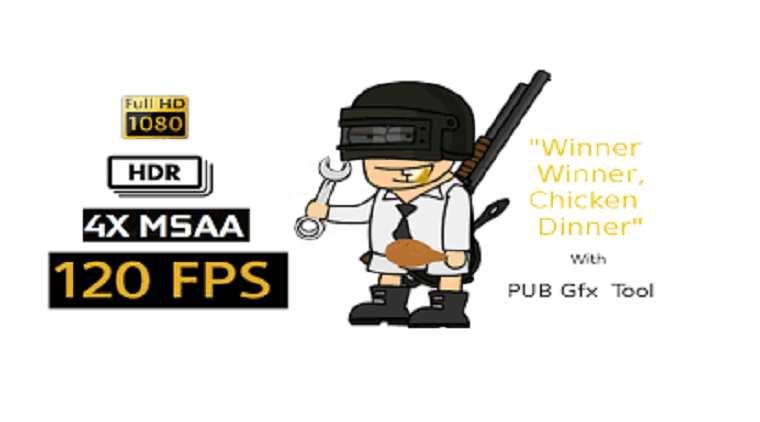
Actually PUBG Mobile is a very popular game on any smartphone. You can easily see a PUBG player anywhere. Tencent’s survival game possesses attractive gameplay and realistic graphics designed using Unreal Engine 4. It is a strong point, but also a weakness of this game. Because of the sharp and detailed graphics, the game requires you to have a highly configurable phone if you want to play the game smoothly, without visual errors or FPS drop.
Recognizing that need, the publisher Trilokia created PubG Pro Graphics Toolkit APK, an application that helps you intervene deeper in the settings of PUBG Mobile and helps to stabilize the frame, minimize jerky and lag when playing. Released on November 25, 2018, the application was removed from Google Play for unknown reasons. On 12-5-2019, Pro Graphics Toolkit officially returned to Google Play. Tips For Winning PUBG Mobile Chicken Dinner
Optimizing battleground gaming experience
There are many ways to improve performance and optimize graphics for PUBG Mobile. Recently, Tencent has launched the PUBG Mobile Lite version for devices with weak configurations. However, this version uses a different server. You can’t play with your friends if they use the original version, which poses a big hurdle for players. Moreover, the Lite version is currently limited to a number of countries. You can refer to PUBG MOBILE LITE.
PUBG Mobile only allows you to customize one of the three settings Low, Medium, and High. Obviously, that was not enough for many players. You can hardly intervene deeper, creating image quality customizations that best fit the device you’re using. With a game like PUBG Mobile, image plays an important role. You cannot fight and move with low image quality and there is a constant delay. Other players can kill you easily while you do not know in front of you is a car or a tree.
Pro Graphics Toolkit gives you a solution to this problem. The application gives you many custom details about graphics. For example, you can customize the FPS, increase or decrease the resolution, object details, enable/disable shadows, etc. Thanks to this, you can easily customize the image quality to suit the device you’re using.
Not only does it reduce image quality, but this app also allows you to unlock 1080p resolution to enjoy great picture quality. Of course, you need a phone with high enough configuration if you want to experience this feature.
Save battery and more
Besides, Pro Graphics Toolkit provides you with many features to help you optimize the hardware of the mobile phone. It’s quite easy to use, you don’t need a lot of hardware knowledge. Before using this application, you need to select the correct version of PUBG Mobile that you are using. Currently, the game has three versions including, global, Korean and Chinese.
– Increase/Decrease resolution: Maximize the image resolution of the game. This mode is suitable for low-end devices.
– Graphics: This application gives you 5 options including Default, Smooth, Balanced, HD, HDR. PUBG Mobile only offers three options Low, Medium, High.
– Customizable FPS: There are four levels including Default, High, Ultra, and Extreme. To get the highest FPS while keeping the game running smoothly, choose the one that best suits your device.
– Enable/Disable Shadows: This setting is not included in the game. Shadows affect a lot on the image and FPS quality. If you use low-end devices, please turn this feature off.
Some advanced settings
Besides the above features, you can pay to unlock some advanced settings. Below the article, we have Pro Graphics Toolkit APK (Advance Settings/NOBAN) available.
– Memory Boost: Improve performance.
– Shortcut: Now you don’t need to open the application each time you use it. Pro Graphics Toolkit has a shortcut on the main screen. When opening the game, your configuration is automatically customized with the settings you used.
– Hardware acceleration.
– Zero lag.
– Save battery.
Should we use Pro Graphics Toolkit APK?
Of course, Pro Graphics Toolkit is an indispensable application if you are a follower of PUBG Mobile. This application allows you to intervene more deeply on the hardware, providing customizations to bring the best graphical experience to the player. PUBG Mobile is a game with extremely attractive gameplay with a large number of players around the globe. However, the configuration requirements and graphics have hindered many people who want to experience the game but do not have a good enough device. This GFX tool has completely solved this problem.
Currently, Pro Graphics Toolkit requires you to pay to download. But you can download it for free via the link below the article.